Monday, September 19, 2011

Displaying External Documents on an OBIEE Dashboard

Hi,


OBIEE11g - setting external Document file(word,excel,pdf,txt..etc) 100% suiteblae
https://forums.oracle.com/forums/thread.jspa?threadID=2303372&tstart=0
for intro and overview...
http://total-bi.com/2011/02/external-files-obiee-dashboard/

link or imges dashboard object and Try like this

1) 1st upload it u r pdf files in catalog like below one
refer my screen short

http://imageshack.us/photo/my-images/28/step1updloadexteranlfil.jpg/

2) use dashboard objects --> link or image -->

refer my screen short
http://imageshack.us/photo/my-images/593/step2updloadexteranlfil.jpg/

URL Plath like this

http://1.1.1.1:9704/analytics/saw.dll?downloadFile&path=%2FShared%2FDOC%2Fobiee.pdf

100% it should work.

OBIEE10g verion below one ok, but lot of impact this version
   
     Placing the image file in /l_en folder dint work for me too however you can place them inside the following paths and restart the services.


For more information:
https://forums.oracle.com/forums/thread.jspa?messageID=9878467&#9878467


FYI,
     if you are using obiee10g version please look at the below path

Drive:\OracleBI\oc4j_bi\j2ee\home\applications\analytics\analytics\res
Drive:\OracleBI\web\res

Restart all services including oc4j

Thanks

Deva

Wednesday, September 14, 2011

OBIEE 11g (11.1.1.5.0) Software Only Installation on Windows Server 2008/2003/XP 64 bit SP1 &SP2

Hi,
for obiee11g download link (RCU , RPD admin client tool)


fow weblogic download,

http://www.oracle.com/technetwork/middleware/ias/downloads/wls-main-097127.html

Hi All,

Kindly check your System IP (if its' Dynamic IP install lookback adaptor),windows hosts  file (make sure IP correct )
Hardware Requirement:
1. Disk Space: 50GB or more
2. Available Memory: 4GB or more
3. Temp Space: 1GBor more
4. Swap Space: 3GB or more
5. CPU: dual-core Pentium, 1.5GHz or greater
Software Requirement:
1. OS: Windows Xp /win 7/win2008  sp2 above version 64 bit
2. Microsoft .Net Frame Work 3.5 SP2 above (not required it's only required Oc4j case)
3. OBIEE 11g latest Version(11.1.1.5.0) 64bit
4. RCU(Repository Creation Utility 11.1.1.5) 32 bit (before u need to execute RCU creation script)
5. MS SQL Server 2008 Enterprise Edition or Oracle 11g 64bit
6. jdk1.6.0_26 and above version 64 bit
Better to go with software only install
weblogic10.3.5.0 generic version win 64bit
and follow the doc step by step

Before going to install maksure certification matrix.
http://www.oracle.com/technetwork/middleware/bi/oracle-obia-111151-cert-matrix-525376.xls


http://obieeelegant.blogspot.com/2010/12/hardware-and-software-system.html

Software download :
Refer the below link:
http://www.oracle.com/technetwork/middleware/bi-enterprise-edition/downloads/biee-111150-393613.html
In the same link bottom you can find
RCU installer setup. (there is no 64bit rcu so u have use the same both)

For the web logic server download
wls1035_generic.jar


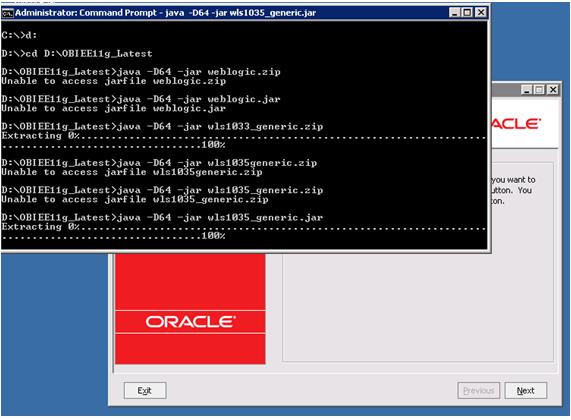
First you have extract it and run it in CMD propmt,

check it your disk space and select your drive and click next,
going forward click yes.
click it yes
Click it Yes, and next...

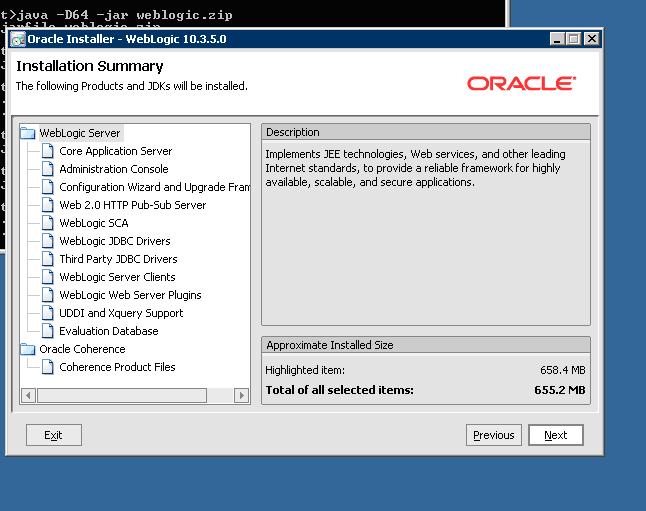
Select Typical option,
select your JDK installaed home path ...and click next,
click next ...keep it as it is,

click next ...keep it as it is,


click next ...keep it as it is,

Now, Weblogic server 10.3.5.0.installation done...sucessfully...

Next start your OBIEE11g with Software only install option...

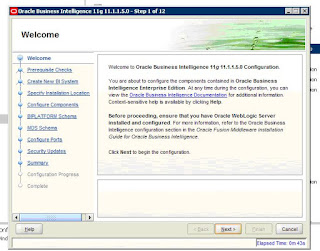
skip it,
select "Software Only Install" and click next,
click next,
click next ...keep it as it is,

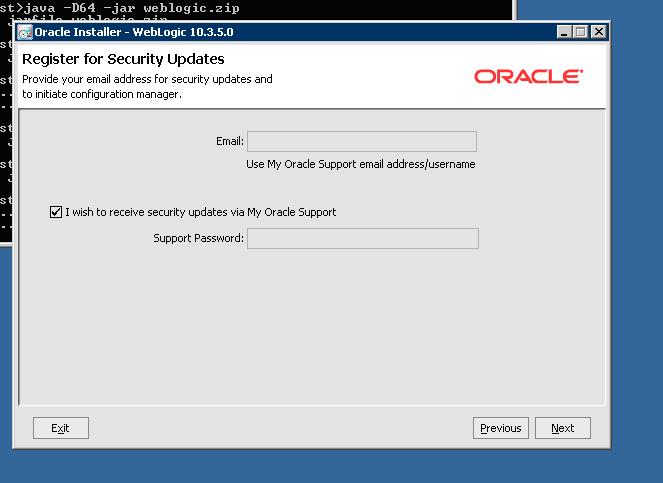
Uncheck mail things, click next

Click YES and Next,,
Next....

Click Next...
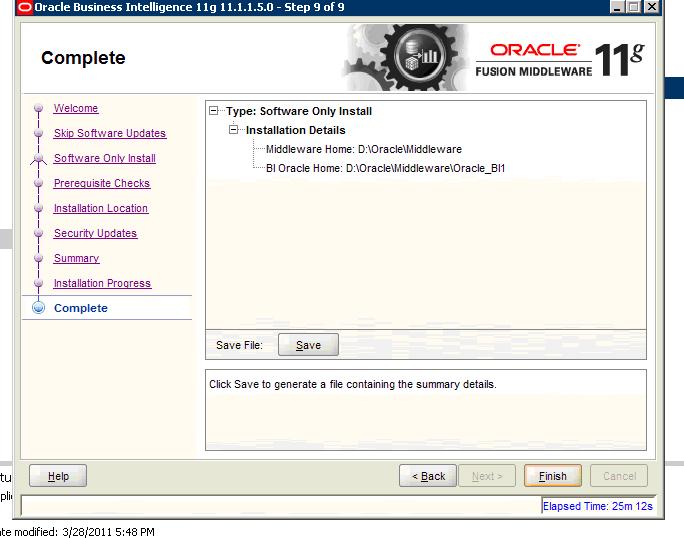
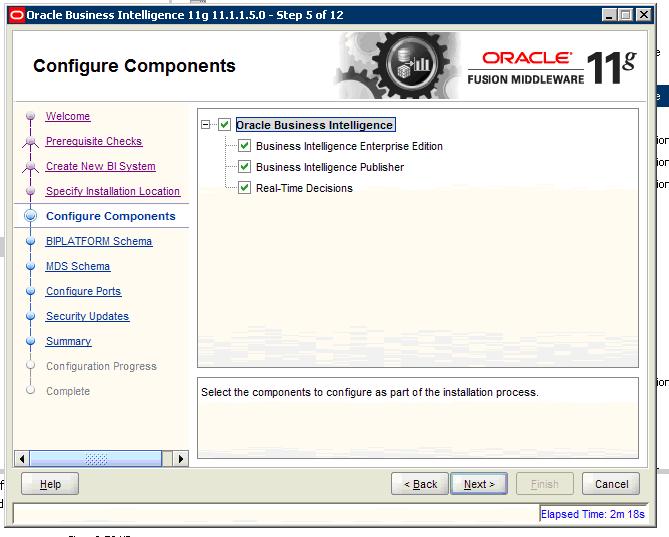
OBIEE11g - Software Only Install is over now ...then click finish it configurre OBIEE ..look at below steps...
after install software install option i will get like below kindl of path ...kinly look at ..below screen and double click config.cmd
Next...
Next

give the OBIEE RCU domain and OBIEE username and Password
click next ...keep it as it is,

click next ...keep it as it is,

let say i have set it SQL server RCU connection string and MDS , BI Domain info look at below screen make it like this,
click next ...keep it as it is,
uncheck it and click next


obiee11g defaul RPD: password is Admin123 ,if you want to reset it , open RPD in offline mode and go to file menu then ..there is a option called Change/Reset password..change it and deployee it in EM.


Thanks

Deva
   

Tuesday, September 06, 2011

Clear/Remove OBIEE/SQL Server Services from Services.msc

Hi,
    
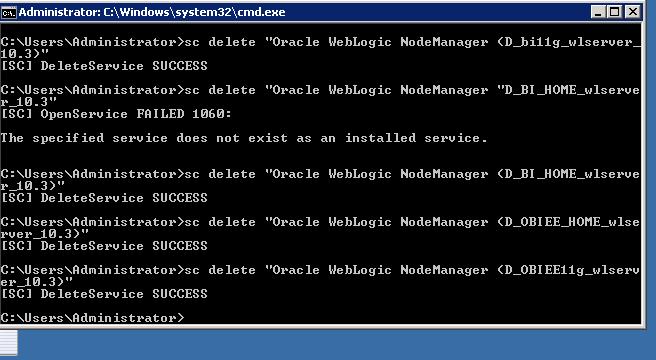
  deleting obiee11g services in windows services.msc by using below comment

c:/>sc delete "service name" that's all.


Second method,

You have to also delete the services registry entry using regedit
HKEY_LOCAL_MACHINE/SYSTEM/CurrentControlSet/Services

FYI..Ref:

http://www.howtogeek.com/howto/windows-vista/how-to-delete-a-windows-service-in-vista-or-xp/

Thanks

Deva

Monday, September 05, 2011

logo and title in one line

Hi,

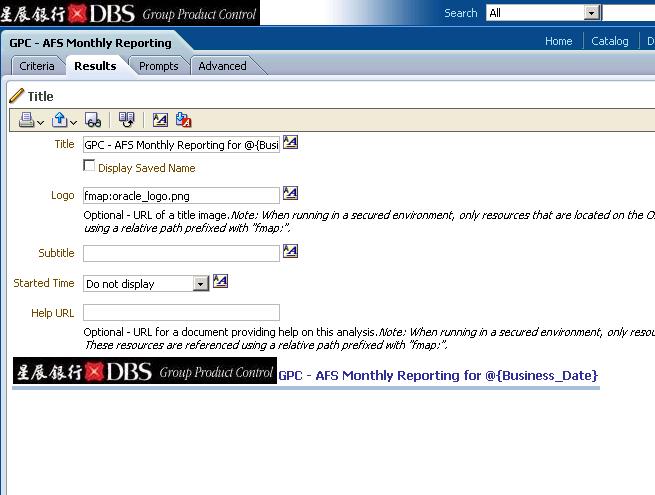
          In an Answres report, you can set logo and tittle in the same line please check the below line

fmap: image path

e.x:

fmap:{imagename.jpg}


Thanks

Deva