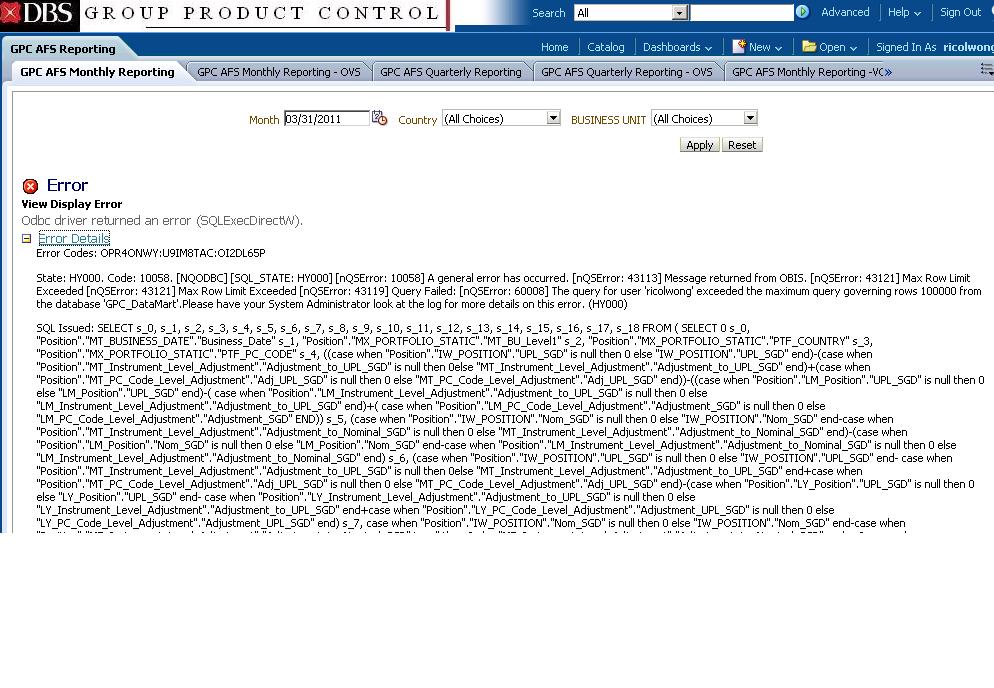
Hi, I came across an interesting error recently, as a admin (weblogic user) able to see the o/p without any error dashboard page, if any one user/group loging that time they are getting attached screen short error message.FYI,SR 3-3888346391: Odbc driver returned an error (SQLExecDirectW) on obiee11g Dashboard page
Solution Statement:
In your OBIEE11g --> RPD file---> Manage--> Identity -->Users/Application role --> increase the each user/group wise that maximum number of rows the user or group is allowed to retrieve from a database. then it will work.
Reference:
At the rpd level, you can Manage Query Execution Privileges to limit queries by number of rows received by a user or group with
the max rows parameter. It determines the number of rows that can be returned from the database. If the number of rows exceeds this limit, an ODBC error occurs.
From the Administration Tool menu bar, choose Manage > Security.
•In the Security Manager dialog box, in the tree pane, select Users or Groups.
•In the right pane, right-click the name that you want to change and select Properties.
•In the User or Group dialog box, click the Permissions tab.
•In the User/Group Permissions dialog box, click the Query Limits tab and expand the dialog box to view all columns.
•To specify or change the maximum number of rows each query can retrieve from a database, in the Query Limits tab, perform the following steps:
•In the Max Rows column, type the maximum number of rows.
•In the Status Max Rows field, select a status.
•Click OK twice to return to the Security Manager dialog box.
If a query exceeds the limit set by the Administrator, the end user will get the message:
[nQSError: 60008] The query for user 'user1'
exceeded the maximum query governing rows n from the database x
Status Description
Disable When selected, disables any limits set in the Max Rows or Max Time fields
Enable This limits the number of rows or time to the value specified. If the number of rows exceeds the Max Rows value, the query is terminated.
Ignore Limits will be inherited from the parent group. If there is no row limit to inherit, no limit is enforced
Thanks and Regards,
Deva